
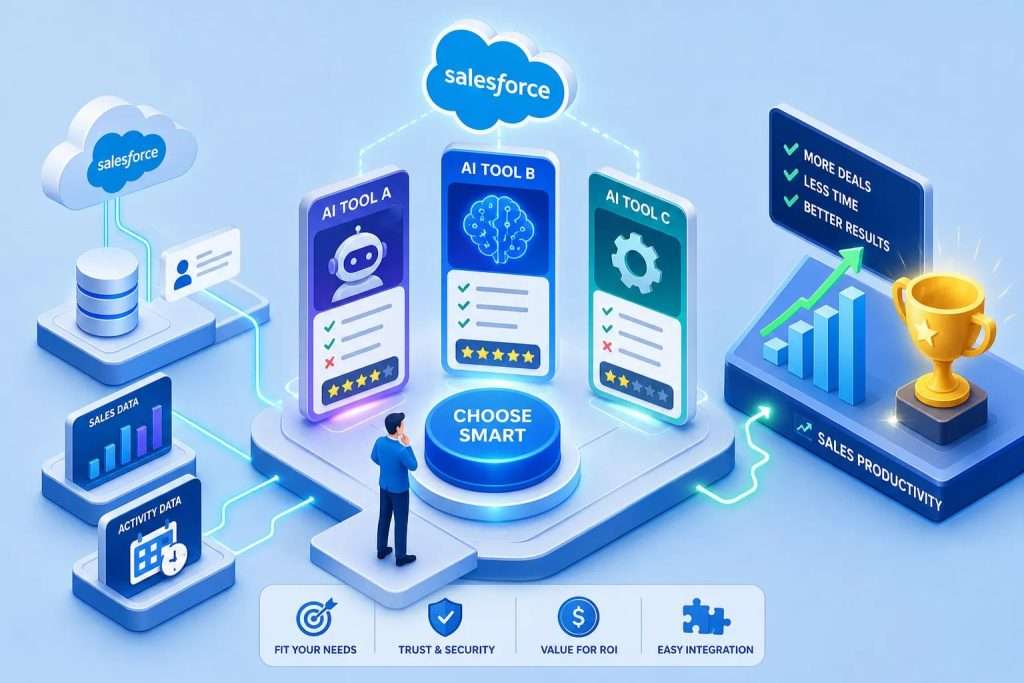
What is the best Salesforce AI tool for sales team productivity? For most enterprise sales organizations, the answer depends on how well the solution fits their Salesforce workflows, existing technology investments, and enterprise requirements. Where AI workloads run, how agents access CRM data, and what they can automate all influence the decision. These factors also affect security, governance, implementation effort, and total cost of ownership.
Feature demonstrations can make several AI platforms look similar, even when their underlying architecture, operational requirements, and pricing models differ significantly. This guide examines the criteria that matter most, compares different approaches, and helps enterprise teams identify which solutions deserve further evaluation.
Key takeaways
- Data architecture matters:Understand where AI workloads run, how CRM data is accessed and processed, and who controls the environment.
- Implementation depends on complexity:Evaluate integration, security reviews, configuration, and testing rather than assuming fixed deployment timelines.
- Automation depth determines potential value:Agents that execute authorized workflows can reduce manual effort beyond content generation. Measure results through a pilot.
- Compare total cost, not just license prices::TheAgentforce for Salesadd-onat $125 per user per month stacks on top of baseSalesforcelicenses, reaching $11,250 per month for a 50-person team before implementation or training.
- Use case fit beats feature count:Match the tool to your team’s actual bottleneck, not the platform with the longest feature list.
- Existing Azure investments create an additional option:Enterprises can evaluate AI agents powered by theirMicrosoft Azureenvironment while accounting for platform licensing and Azure consumption costs.
What criteria actually separate good Salesforce AI tools from expensive ones?
Most buyers evaluate on features and price. The teams that make better purchases look harder at data architecture, setup friction, and total cost of ownership. Those factors predict long-term value far better than any feature checklist, and they surface the real differences between vendors that look similar on a product comparison page.
Does the AI operate inside your Salesforce org or outside it?
One of the most important distinctions between Salesforce AI platforms is where their AI workloads run and how they process enterprise data. Some use Salesforce-managed services, others use external vendor infrastructure, and some allow organizations to operate AI workloads within their own cloud environment.
For organizations in regulated industries, understanding how Salesforce data moves between AI services, cloud environments, and connected systems is especially important. Organizations should evaluate how information moves between Salesforce, AI services, and connected systems, including applicable access controls, retention requirements, and governance responsibilities. The right architecture should align with the organization’s data protection policies, access controls, and operational requirements.
How much setup depends on your IT queue?
Many third-party tools advertise a one-click Salesforce connector but still require OAuth configuration, field mapping, sandbox testing, and a security review before going near production data. Implementation effort affects how quickly an organization can begin realizing value. Enterprise teams should evaluate configuration, integrations, permissions, security approvals, testing, and user adoption before estimating deployment timelines. An AppExchange package may simplify installation, but production deployment can still require coordination between Salesforce administrators, architects, and IT security teams.
Automation depth vs. AI-generated suggestions
There’s a real gap between AI that drafts an email and AI that takes authorized action inside Salesforce records and workflows. AI tools that generate summaries, draft emails, or recommend next steps can reduce routine work. Agentic AI extends these capabilities by performing authorized actions, updating records, and coordinating multistep workflows. The value depends on how frequently the tasks occur, how much manual work they replace, and whether employees adopt the new process. Organizations should measure these outcomes during a pilot rather than relying on generalized productivity estimates. That distinction drives the difference between a tool worth piloting and one worth deploying at scale across your entire sales organization.
What is the best AI tool for Salesforce sales team productivity? How Einstein, third-party tools, and Azure-native AI compare
The table below puts the three primary categories side by side on the criteria that matter most for enterprise sales teams. Use it as a starting framework before you request vendor demos.
| Criteria | Salesforce Einstein / Agentforce | Third-party tools | gammaNext |
|---|---|---|---|
| Primary focus | Salesforce Einstein AI and CRM-native agent workflows | Sales engagement, forecasting, and conversation intelligence | Enterprise AI agents and automation within Salesforce |
| AI architecture | Salesforce platform and supported AI services | Vendor-specific architectures | Agent platform in Salesforce; runtime in customer’s Azure environment |
| Data processing | Depends on selected services and configuration | Depends on vendor integrations and policies | Salesforce and customer-managed Azure environment |
| Automation capabilities | Agent actions and Salesforce workflows | Specialized sales workflows | AI agent orchestration and Salesforce workflow actions |
| Commercial model | Applicable Salesforce licenses and AI usage charges | Separate vendor subscriptions | gammaNext licensing, Azure usage, and implementation costs |
| Best suited for | Organizations using Salesforce’s AI ecosystem | Teams with specialized sales needs | Enterprises seeking to connect Salesforce AI with existing Azure investments |
What should sales teams test during an AI platform demonstration?
Beyond architecture and licensing, the most useful evaluation is whether the AI platform can support the work sales representatives perform every day.
Enterprise buyers should assess how each solution handles common sales activities:
| Sales activity | What to evaluate |
|---|---|
| Account research | Can the AI retrieve and summarize relevant Salesforce account information? |
| Meeting preparation | Can it prepare briefings using opportunities, previous interactions, and customer context? |
| Opportunity management | Can agents identify updates and modify authorized Salesforce records? |
| Sales follow-ups | Can the AI generate follow-up tasks and initiate approved workflows? |
| Email and CRM integration | Can it connect customer communications to the relevant Salesforce context? |
| Security and permissions | Does it respect user permissions, approval requirements, and data access policies? |
Where Einstein excels and where it hits limits
Salesforce Einstein and Agentforce provide AI capabilities tightly integrated with the Salesforce ecosystem, including CRM context, automation, and agent-driven workflows. For organizations already standardized on Salesforce, this integration can be a significant advantage.
Cost evaluation requires a closer look at the available licensing models. Salesforce offers per-user Agentforce add-ons alongside consumption-based options such as Flex Credits and conversation pricing. The most suitable commercial model depends on the use case, number of users, expected activity, and existing Salesforce agreement.
Enterprises should compare the full cost of each approach rather than treating one published add-on price as the cost of every Agentforce deployment.
Why most third-party tools solve one problem but create another
Gong, Outreach, Salesloft, and Clari each specialize well in their respective domains. Gong is a strong option when call analysis, deal-risk detection, and structured manager coaching are the primary gaps. Outreach and Salesloft are purpose-built for SDR-heavy teams managing sequences and multichannel prospecting. Clari addresses forecasting and pipeline discipline at the executive level. These platforms address different sales challenges and often complement Salesforce rather than replace its core CRM capabilities. However, each introduces integration, data handling, licensing, and administration requirements that enterprise buyers should evaluate.
How gammaNext brings Salesforce AI and Azure together
gammaNext takes a different approach to enterprise Salesforce AI. Its agent platform operates within Salesforce, while its AI runtime runs in the customer’s Microsoft Azure environment. This architecture allows organizations to deliver AI-powered experiences inside Salesforce while using Azure infrastructure they already manage. For enterprises already invested in Salesforce and Microsoft Azure, gammaNext provides a way to bring those technologies together without introducing a separate AI runtime hosted by another vendor. gammaNext supports the development and orchestration of AI agents for Salesforce workflows. Deployment and configuration requirements depend on the organization’s Salesforce setup, Azure infrastructure, integrations, and enterprise security policies. For organizations seeking to extend their existing Azure investments into Salesforce AI, gammaNext offers an approach worth evaluating for business automation, infrastructure management, and enterprise governance.
What AI-powered sales productivity looks like in practice
Consider a Salesforce account executive preparing for a customer meeting. Traditionally, they may need to review account records, recent opportunities, previous interactions, and open service issues across several systems.
An AI agent can help bring that information together and prepare a relevant account briefing. Following the meeting, the agent can assist with summarizing discussions, identifying next steps, creating follow-up tasks, and updating Salesforce records, subject to the organization’s configured permissions and approvals.
gammaNext supports this approach by combining its Salesforce agent platform with an AI runtime in the customer’s Azure environment. Organizations can configure agents to work with relevant Salesforce information and perform authorized business actions, subject to their integration, security, and approval settings.
What does it actually cost to add AI to your Salesforce sales team?
Most cost estimates stop at list price. Real deployment cost includes the license, the implementation, the sync maintenance, and the ongoing admin load that rarely appears in a vendor’s ROI calculator.
Understanding Salesforce AI pricing and total cost
Salesforce AI pricing varies by license, edition, and usage. Salesforce currently lists Agentforce add-ons at $125 per user per month, while also offering consumption-based pricing through Flex Credits and conversations. Customers should confirm the products and entitlements included in their Salesforce agreement before comparing costs.
For gammaNext, the financial model should account for platform licensing, Azure consumption, implementation, support, and ongoing operations. Existing Azure investments may reduce the need to establish additional infrastructure, but they do not eliminate software licensing or operating costs.
The hidden costs buyers underestimate
Integration maintenance is where external tools become expensive over time. Field mapping drift, credential rotation, API version changes, and sync failure monitoring require ongoing admin attention that rarely appears in year-one cost models.
The break-even formula is straightforward: your annual software and implementation cost must be offset by measurable gross profit uplift or verified time savings. For example, if an AI deployment costs $135,000 annually, the organization would need at least $135,000 in incremental gross profit, verified cost reductions, or other monetized benefits to reach a simple annual financial break-even point. The actual calculation should also consider implementation costs, adoption rates, recurring expenses, and when benefits are realized. For organizations already using Microsoft Azure, operating AI workloads within their existing Azure environment may simplify infrastructure management and reduce duplication. However, the total cost should still include Azure consumption, gammaNext licensing, integration, implementation, and ongoing maintenance.
Which AI tool for Salesforce sales team productivity matches your specific use case?
When your priority is conversation intelligence and coaching
For teams where call analysis, deal-risk detection, and manager coaching are the primary productivity gaps, Gong is worth evaluating. Its conversation intelligence capabilities run deeper than native Conversation Insights for organizations running structured coaching programs, multi-call deal analysis, and rep benchmarking at scale. Before deployment, confirm how Gong handles Salesforce data, which information it stores, and whether its data processing and retention policies meet your organization’s security and compliance requirements.
When outbound execution is the bottleneck
Outreach or Salesloft work best for SDR-heavy teams where sequence management, follow-up automation, and multichannel prospecting dominate the daily workflow. These platforms can complement Salesforce AI by addressing specialized sales engagement needs. Buyers should evaluate whether their priorities call for focused sales execution tools, broader CRM automation, or a combination of both.
When enterprise data control and governance are priorities
For enterprises in financial services, healthcare, and other regulated industries, AI governance is a major consideration when selecting a Salesforce AI platform. Organizations need to understand where AI workloads execute, how business data is processed, and which controls govern access and usage.
gammaNext allows enterprises to operate their AI runtime in their own Microsoft Azure environment while delivering agent experiences within Salesforce. This gives organizations a deployment option that can align with their existing Azure security and governance policies.
Buyers should still review the complete data flow, Salesforce-to-Azure connectivity, access controls, logging, and applicable compliance requirements. Any certifications, contractual assurances, or regulatory commitments should be verified through the vendor’s current documentation
What does setup actually require, and can sales ops deploy it without IT?
The setup question is where many tools oversell. “Easy integration” usually means easy for a developer, not easy for a sales ops leader working against a quarterly target.